
Jobs & workflow
A job is the work order for one visit. It carries the work to do, the parts and labour, and moves through clear stages until the car is handed back — all from your phone.
Every job, one clear list
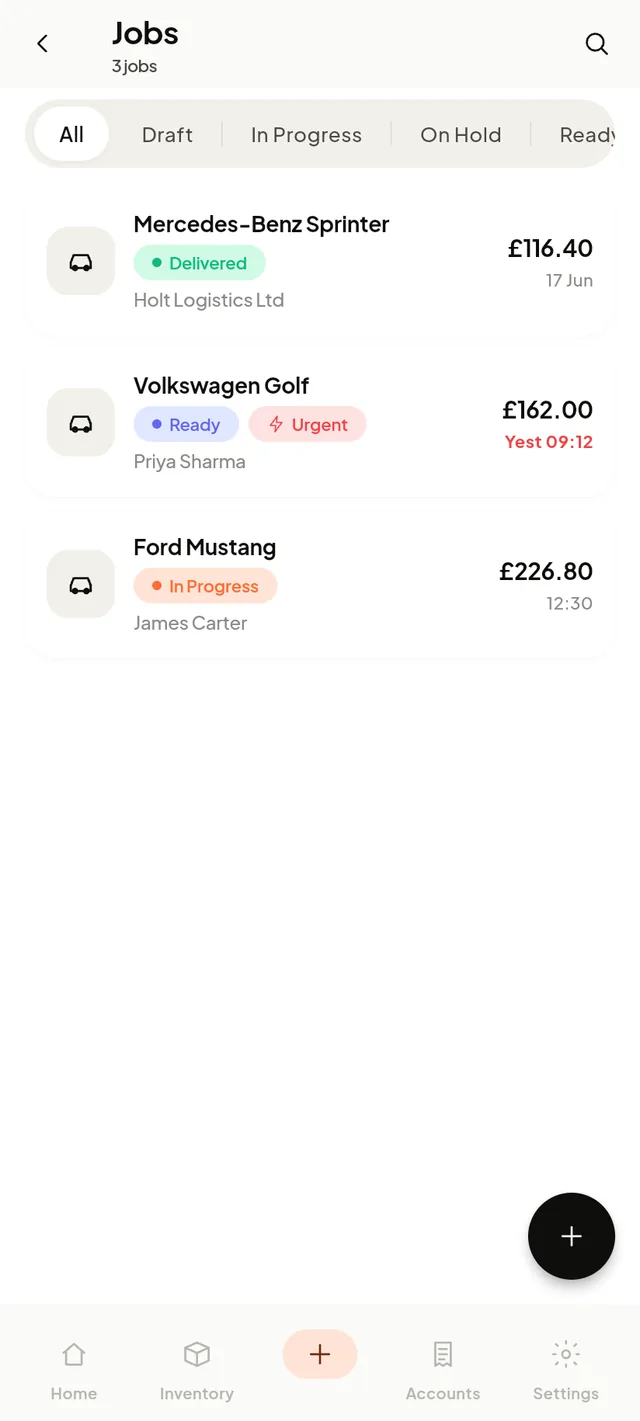
The jobs list shows each job’s vehicle, customer, status, total and promised time. Status tabs — Draft, In Progress, On Hold, Ready, Delivered — filter instantly, and overdue promised times show in red so nothing slips.
Jobs flow through a simple lifecycle: Draft → In Progress → Ready → Delivered, with an On Holdside-branch for when you’re waiting on parts or customer approval.
Create a job in under a minute
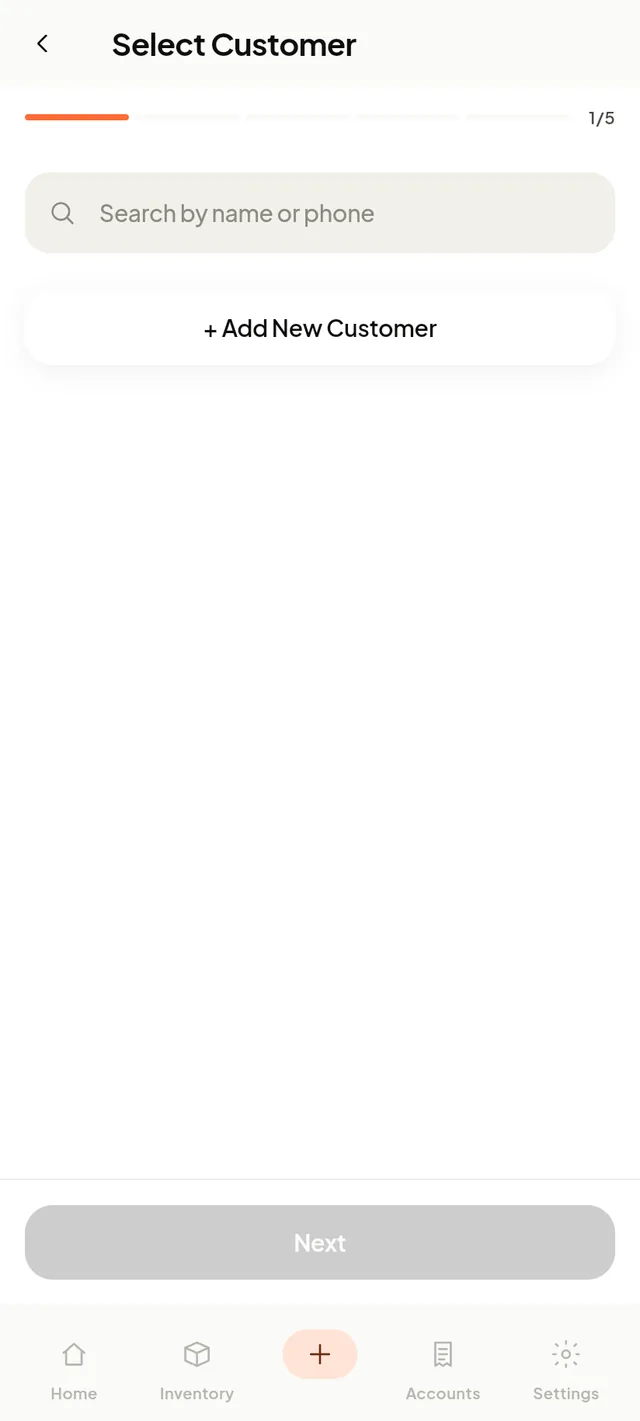
A five-step wizard walks you through it:
- Pick or add the customer
- Pick or add the vehicle (registration auto-fills the details)
- List the work to do
- Add labour, parts and subcontract lines — parts pull from inventory
- Set priority, promised time, mileage and notes
The job number is issued automatically (JB-0001, JB-0002…).
The job card does the maths
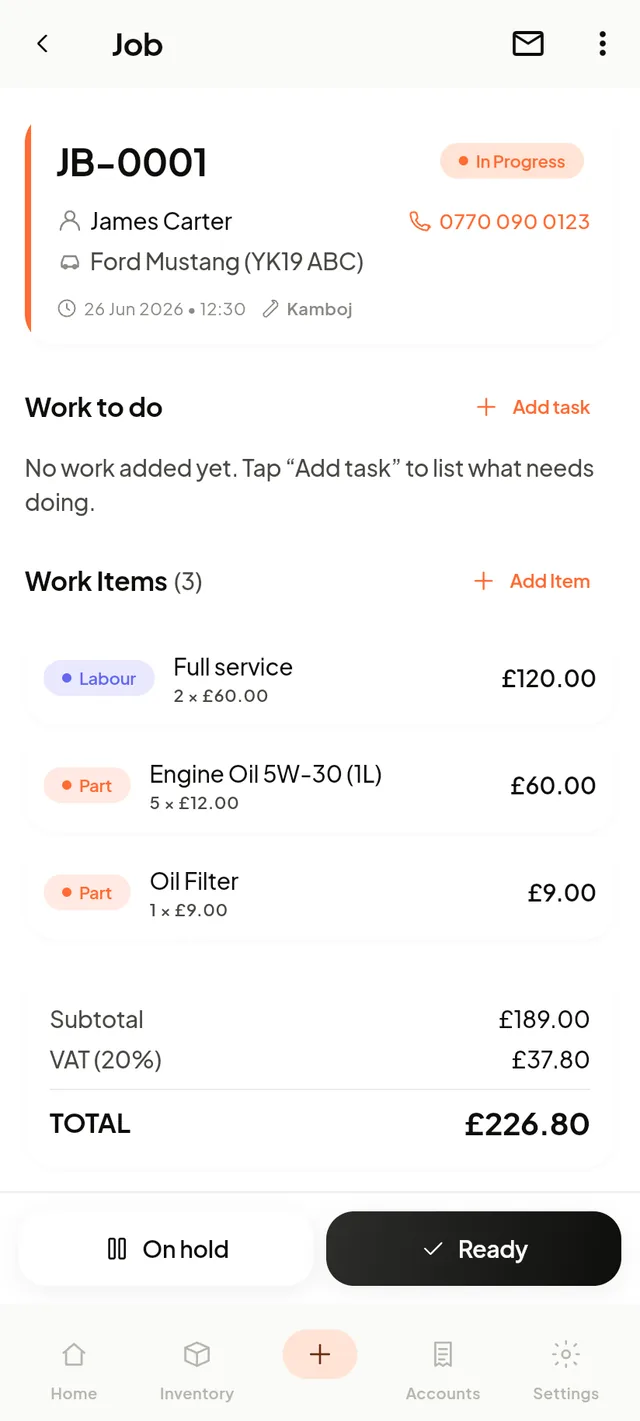
Tick work off as you go, add parts and labour, and watch the subtotal, tax and total update live. Move the job to On Hold or Ready with one tap, then turn it into an invoice when the work is done — no re-typing.
From paper job sheets to digital job cards
Whether your workshop calls it a job card, a job sheet or a worksheet, the paper version has the same problems: it gets greasy, it goes missing, and someone re-types it into the invoice at the end of the day. A digital job card carries the reported fault, the work carried out, parts, labour and sign-off with the vehicle — and nothing is copied out twice.
Still want paper for the bench? Grab our free printable job card template — then see how much faster the digital version is.
Common questions
A job card (also called a job sheet) is the work order for one vehicle visit — customer, vehicle, reported fault, work carried out, parts and labour. In Garage Desk it's digital, so it becomes the invoice without re-typing.